How to Freeze a Demat Account Temporarily to Prevent Misuse (NSDL & CDSL Guide)
Blog by Aliceblue News Desk
05 May 2026
8 minutes
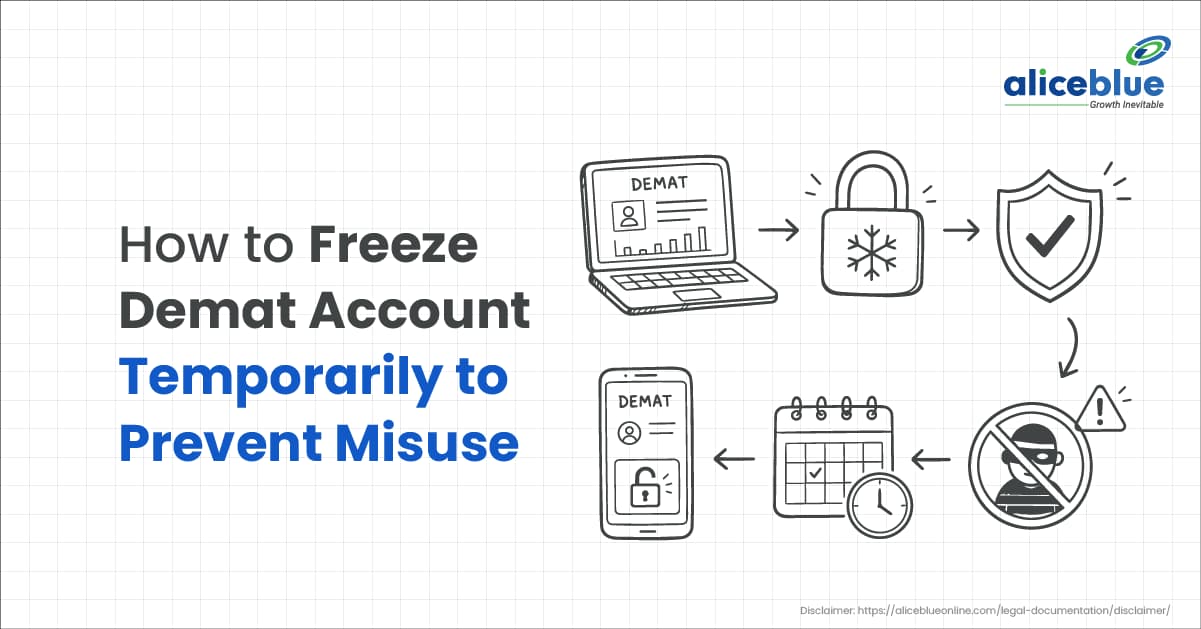
If you ever get an alert that shares were sold or transferred from your demat account without your knowledge, the first reaction is panic. The good news is, you can put a quick safety lock at the depository level by learning how to freeze a demat account temporarily to prevent misuse.
A demat freeze can block debits (selling/transfer out) for the full account, or for selected shares (ISIN-wise), or even for a fixed quantity. This guide explains what a freeze really means, when to use it, the safest way to place a freeze request (through your DP or depository services), and how to unfreeze when you’re ready to trade again.
How to Freeze a Demat Account Temporarily to Prevent Misuse?
Freezing a demat account means restricting the depository system so certain transactions cannot happen until you remove that restriction (unfreeze/defreeze). Your holdings remain in your demat account, but the depository blocks movements based on the freeze type you choose.
SEBI’s investor charter for depository services states that an investor can freeze/defreeze the demat account, or freeze specific securities and even a specific quantity held with the DP.
Freeze is not the same as:
- Closing the demat account (permanent action)
- Blocking a trading login (broker-level action)
- KYC-based freeze (system freeze due to compliance issues)
Before You Freeze: A Quick Safety Checklist
Do these quick checks first. It’ll save you from freezing the account at the wrong time.
Do this first (2–5 minutes)
- Check pending sells/settlements: If you sold shares today, freezing debits immediately can disrupt settlement.
- Check pledges: If you use margin/pledge, freezing can block pledge/unpledge actions.
- Capture proof: Screenshot alerts, emails, and suspicious activity logs (date/time/ISIN/quantity).
- Raise a support ticket + call DP: Written request + phone escalation works best in urgent cases.
Choose the right freeze type for “prevent misuse”
For most retail investors, the most practical choice is:
- Account-level debit freeze (blocks selling and transfers out)
If you only want to protect long-term holdings but keep other positions tradable:
- ISIN-level or quantity-level debit freeze (freeze only selected shares/units)
How It Works: How to Freeze a Demat Account Temporarily to Prevent Misuse
Step 1: Identify whether your demat is NSDL or CDSL
This helps you follow the correct route for online services.
- NSDL demat: usually starts with IN followed by 14 digits (example: INXXXXXXXXXXXXXX)
- CDSL demat: typically a 16-digit numeric BOID (DP ID + Client ID)
If you’re not sure, check your demat holding statement or ask your DP.
Step 2: Decide the scope (account / ISIN / quantity)
You can freeze at different levels:
- Account-level freeze
- Freezes the whole demat account (best when you suspect account compromise)
- ISIN-level freeze
- Freezes a specific security (example: only one stock/ETF)
- Quantity-level freeze
- Freezes only a fixed number of shares under an ISIN (example: freeze 80 shares out of 100)
CDSL’s DP operating instructions allow freeze/unfreeze of the demat account and also at ISIN/quantity levels.
NSDL’s SPEED-e FAQs also describe freeze/unfreeze at account/ISIN/specific quantity levels (for eligible users).
Step 3: Choose the direction – debit only vs debit + credit
Most freeze forms offer these options:
- Suspend for debit (debit freeze): Blocks outgoing movement (selling, transfers out, pledges)
- Suspend for debit and credit: Blocks outgoing and incoming movement (used less often)
A standard freeze/unfreeze request format shows both “suspend for debit” and “suspend for debit and credit”.
Practical tip: If your goal is “stop unauthorised selling/transfer”, a debit freeze is usually enough.
Step 4: Pick the method (DP route is the most common)
You generally have two ways to freeze:
Option A: Freeze through your DP (most common and works for everyone)
- Request the Freeze/Unfreeze form from your DP (broker/bank DP)
- Fill: account number, freeze type, scope (account/ISIN/qty), and date (immediate/future)
- Submit with signatures/eSign (as per DP process)
- Get acknowledgement/confirmation from DP
Option B: Freeze through depository online services (works if you’re registered and eligible)
NSDL (SPEED-e):
NSDL states that smart card clients can freeze/unfreeze account(s)/ISIN(s)/specific quantity via SPEED-e, and a freeze executed by the user through SPEED-e cannot be unfrozen by the DP.
CDSL (Easi/Easiest):
CDSL’s Easi/Easiest operating manual notes that a BO can unfreeze balances frozen by them from the Easi/Easiest login and need not submit the freeze/unfreeze form to the DP if the setup was done from their Easi/Easiest login.
Plain-English version: Online routes can be fast once set up, but many investors still use the DP form route because it’s straightforward.
Step 5: What changes after freezing (what you can and cannot do)
Once a debit freeze is active:
- You can still view holdings, download statements, and track portfolio value
- You cannot debit the frozen portion (sell/transfer out/pledge) based on your freeze scope
If you freeze the entire account for debit, you’re effectively placing a hard stop on outgoing movements from the demat.
Step 6: How to unfreeze (defreeze)
Unfreeze is the reverse process:
- If you froze through DP, submit an unfreeze request through DP
- If you froze through a depository online service, unfreeze through the same service (as per that system’s rules)
Remember NSDL’s note: a freeze placed by you through SPEED-e (eligible users) cannot be unfrozen by your DP.
Example: Using a Demat Freeze to Stop Unauthorised Selling
Neha is a long-term investor with:
- 120 shares of a large-cap stock
- 300 units of a Nifty ETF
One evening, she receives an alert for a sell order she didn’t place. She immediately:
- Calls her DP and raises a ticket requesting account-level “suspend for debit”
- Submits the DP’s freeze instruction (same day)
- After the debit freeze is applied, even if someone tries to sell again, the demat debit needed for settlement is blocked at the depository level.
Next, she resets the broker password, email password, and checks if her registered mobile/email was changed. After a few days, she unfreezes once she’s confident that access is secure.
Key Features of Freezing a Demat Account Temporarily
- It’s reversible: Freeze can be removed with an unfreeze instruction.
- Flexible control: Account-level, ISIN-level, or quantity-level.
- Direction choices: Debit-only or debit+credit, depending on the requirement.
- Works even if broker login is compromised: Because restriction is applied at the depository layer (via DP/depository process).
Advantages of Freezing a Demat Account Temporarily
Freezing is useful when:
- You suspect phishing, SIM swap, or device loss
- You’re travelling and won’t trade for a while
- You want an extra safety layer for long-term holdings
- You want to stop accidental selling by shared-device users
It is also an investor right recognised in the depository service charters.
Risks or Limitations
- You may miss quick selling opportunities: You must unfreeze before selling.
- Settlement timing matters: Freezing during a pending sale/transfer can create delays.
- Pledge/margin users should be careful: Pledge/unpledge actions can get blocked depending on the freeze scope.
- Debit+credit freeze can be restrictive: It may block incoming transfers depending on the setup.
Note: DPs/depositories can freeze accounts under regulatory/court/statutory directions (this is different from your voluntary freeze).
Demat Freeze vs Other Safety Actions
Action | What it does | Best for | Watch-outs |
Freeze demat (debit freeze) | Blocks outgoing movement from demat | Suspected misuse, travel, and long-term holding safety | Must unfreeze before selling |
Change passwords + secure email/SIM | Reduces the chances of a takeover | Every investor (basic hygiene) | Doesn’t stop the depository debit by itself |
Avoid PoA / DDPI if you don’t need it | Reduces delegated control | Investors who want tighter control | You may need manual authorisation more often |
Close the demat account | Permanent closure | When you won’t invest anymore | Requires moving/remat holdings first |
CDSL’s operating annexures state that brokers/DPs should not compel clients to execute PoA or DDPI, or deny services if the client refuses.
Common Mistakes and How to Avoid Them
- Choosing debit+credit freeze when you only need debit freeze
Fix: For misuse prevention, a debit freeze is usually the clean choice. - Freezing during active settlement
Fix: If you have a sell trade in progress, confirm settlement is complete before freezing the same ISIN/account. - Freezing only one ISIN when you suspect full account compromise
Fix: Use account-level debit freeze in takeover scenarios. - No written trail
Fix: Keep the DP acknowledgement/ticket ID and any confirmation email. - Treating freeze as the only fix
Fix: Freeze stops movement, but also secures broker login, email, SIM, and updates contact details if needed.
Conclusion
If you’re looking for a direct way to protect holdings, learning how to freeze a demat account temporarily to prevent misuse is worth it. A demat freeze places a restriction at the depository level, which helps block unauthorised selling or transfers out. You can freeze the whole account, specific securities, or even a fixed quantity, and you can unfreeze when you’re ready.
For most investors, an account-level debit freeze (placed quickly through the DP) is the safest first response when something looks wrong.
Frequently Asked Questions
Yes. SEBI’s investor charter recognises the investor’s right to freeze/defreeze the demat account or specific securities/quantity maintained with the DP.
Debit freeze means the account (or the chosen security/quantity) is suspended for outgoing movement, which blocks selling/transfer out actions for the frozen portion.
Yes. Both NSDL and CDSL frameworks allow freezing at the ISIN level and even for a specific quantity under an ISIN (subject to your DP/service access).
In many cases, yes—if you are registered and eligible for depository online services. NSDL’s SPEED-e supports freeze/unfreeze for eligible users, and CDSL’s Easi/Easiest manual indicates freeze/unfreeze can be set up from the login, reducing the need for DP forms in those cases.
Submit an unfreeze/defreeze instruction through your DP, or use the same depository service you used to freeze (if applicable). NSDL notes that a SPEED-e freeze executed by the user cannot be unfrozen by the DP.
Accounts can also be frozen due to regulatory/court/statutory directions, or for compliance reasons. CDSL annexures mention the DP/depository’s right to freeze/defreeze on instructions from a regulator/court/statutory authority.
No. Freezing is mainly about restricting movements (debits/credits based on freeze type). You can still view holdings and statements.

Blog by Aliceblue News Desk