How to link Aadhaar with a Demat Account Online?
Blog by Aliceblue News Desk
12 March 2026
7 minutes
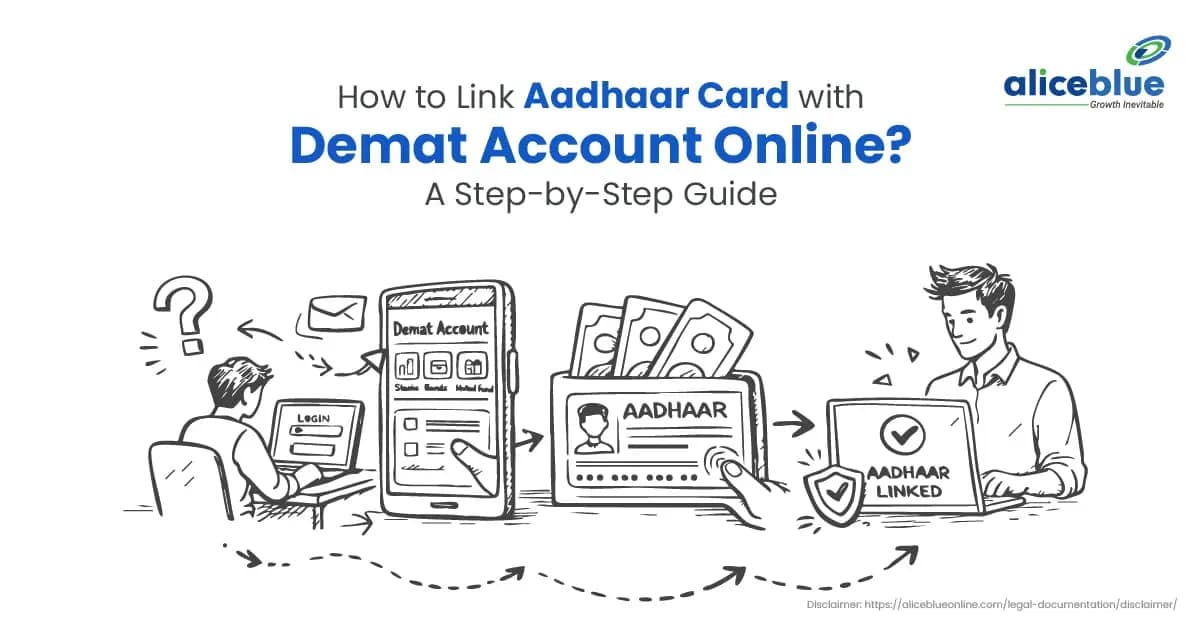
Linking Aadhaar with your Demat account helps your broker verify your identity and keep your KYC records up to date. This reduces the chances of profile update rejections, verification delays, or account restrictions caused by mismatched details.
In this blog, you’ll learn how to link Aadhaar with a Demat account online, what details you need, the exact steps to follow, and quick fixes for common errors.
What does it mean to link Aadhaar with a Demat account?
A Demat account is like a digital cupboard where your shares are stored. Linking Aadhaar means adding your Aadhaar details to your Demat account records and verifying it using an OTP (one-time password). This OTP step is part of the identity check, it confirms that you are the real account holder and that the Aadhaar number belongs to you.
The OTP is sent to the mobile number linked to your Aadhaar, and entering it is like giving a quick “yes, this is me” confirmation before the details get updated in your Demat records.
This step helps your broker match your identity details correctly.
What if your broker sends you to NSDL or CDSL?
Some brokers may redirect you to a depository page (NSDL or CDSL) for this process. NSDL (National Securities Depository Limited) and CDSL (Central Depository Services (India) Limited) are India’s two main depositories– the secure places where your Demat holdings and account records are stored in digital form.
If that happens, you’ll still do the same basic things:
- Enter your Demat details (shown in your app)
- Confirm with OTP
- Enter Aadhaar number
- Verify Aadhaar OTP
- Submit
If you’re unsure which page is correct, don’t search random links online. Use only what your broker provides inside the app or website.
Checklist before you begin
Before you begin, ensure you have the following:
Before you begin, please keep the following ready:
- Aadhaar number
- Mobile number linked to Aadhaar
- PAN Card
- Demat account details (as shown in your broker app):
- DP ID + Client ID (common for NSDL accounts), or
- BO/Beneficiary ID (16-digit Demat number) (common for CDSL accounts)
- Registered mobile number and email with your broker/DP
- Broker app/website login credentials
- Stable internet connection (avoid public Wi-Fi during OTP verification)
Note:
If you can’t receive the Aadhaar OTP, update your Aadhaar-linked mobile number first. Once it’s active, restart the linking process and request a fresh OTP.
How to link Aadhaar with a Demat Account online (step-by-step)?
The process is similar across most brokers. Here’s a simple step-by-step guide you can follow.
Step 1: Log in to your broker app or website
Open your broker’s official app or website and log in.
Step 2: Find the KYC or Profile section
Go to one of these sections (names can differ):
- Profile
- Account Settings
- KYC
- Personal Details
Step 3: Choose “Link Aadhaar” or “Update KYC”
Look for an option like:
- Link Aadhaar
- Aadhaar Seeding
- Update KYC
- Verify Aadhaar
Step 4: Enter your Aadhaar number
Type your 12-digit Aadhaar number carefully. Double-check the digits before moving ahead.
Step 5: Verify using Aadhaar OTP
You will get an OTP on the mobile number linked to your Aadhaar. Enter that OTP in the app/website.
Step 6: Submit and save confirmation
After submission, you may see a message like “Request submitted” or “Aadhaar linked.”
Also, check for an SMS or email confirmation and keep it for your records.
How does linking Aadhaar help?
Here’s why many investors do it:
- Fewer KYC problems: If your identity details match, updates and checks are smoother.
- Better account safety: It becomes harder for someone to misuse your account details.
- Cleaner records: Your name and date of birth stay consistent across documents.
- Fewer back-and-forths: You reduce the likelihood of support tickets and repeated document requests.
Common problems and quick fixes
1) OTP not received
Try this:
- Check network and SMS inbox (also check spam/blocked messages)
- Wait 2-3 minutes and tap Resend OTP
- Make sure your Aadhaar-linked mobile number is active
If OTP still doesn’t come, update your Aadhaar-linked mobile number, then try again.
2) PAN not linked with Aadhaar
Some verification checks may fail during KYC updates. Link PAN with Aadhaar first, then restart the Aadhaar linking process in your broker app.
3) Aadhaar authentication failure
If verification still fails due to Aadhaar system issues or connectivity. Try again after some time, switch to a stable network, and avoid repeated attempts back-to-back. If it continues, contact broker support.
4) Incorrect demographic data (name/date of birth mismatch)
Even small differences can cause failure (example: “Rahul Kumar” vs “Rahul K.”). Update your details with your broker first (or update Aadhaar if Aadhaar is incorrect), then try linking again.
5) Mobile number mismatch (Demat vs Aadhaar)
Keep both mobile number linked with Aadhaar and Demat-registered number accessible during the process, or update the Demat-registered mobile/email if needed.
6) You can’t find the Aadhaar option in the app
Fix:
- Update the app to the latest version
- Check under Profile, KYC, Personal Details, or Settings
If still not found, contact support and ask: “Where can I link Aadhaar in the app?”
7) You opened a suspicious page
Use only your broker’s official app/website (or links inside it). Never enter Aadhaar or OTP on unknown links.
Add Your Heading Text Here
These small habits can save you from fraud:
- Never share OTP with anyone, even if they claim to be from your broker.
- Only use the official app or website of your broker.
- Avoid public Wi-Fi when doing KYC-related tasks.
- Log out after you finish, especially on shared devices.
Now you know the process is clear and simple. In most cases, you can do it from your broker app by entering your Aadhaar number and verifying an OTP. This is the easiest answer to how to link Aadhaar with a demat account online without visiting any office.
Keep your details correct, use only trusted platforms, and save the confirmation message. Once done, your account records stay cleaner, and you avoid common KYC issues later.
Also Read: https://aliceblueonline.com/blog/what-is-demat-account
Most people finish it in 3–10 minutes if their Aadhaar-linked mobile number is active and they can receive OTPs.
Sometimes, the status may show “Request submitted” first and change to “Aadhaar linked” later. If it doesn’t update after a day, contact your broker support.
No. Online linking needs Aadhaar OTP, and the OTP goes only to the mobile number linked with Aadhaar.
If your Aadhaar does not have an active mobile number, you’ll need to update your mobile number in Aadhaar first, and then try again.
Open your broker app/website and go to:
Profile → KYC / Personal Details / Account Settings
Look for a status like:
- Aadhaar linked
- Aadhaar seeded
- KYC complete
If you can’t find it, ask support: “Please confirm whether Aadhaar seeding is done for my Demat.”
If you have more than one Demat account, each broker may ask you to complete Aadhaar linking in their own system.
So yes, you may need to do it separately for each account, especially if one account shows KYC pending and the other doesn’t.
To avoid failures, these details should match as closely as possible:
- Name (spelling and full name)
- Date of birth
- PAN details in the Demat
Small differences like missing initials or short forms can sometimes cause a rejection. If it fails, first check your Demat profile and correct it with the broker.
That’s usually fine. Aadhaar OTP will come to the Aadhaar-linked mobile number.
But some brokers also send a separate OTP to your Demat-registered mobile/email during verification.
So it’s best if both numbers are active while you do the process.

Blog by Aliceblue News Desk