IFSC Code Changes After Bank Mergers in India (2026 Guide)
Blog by Aliceblue News Desk
01 June 2026
11 minutes
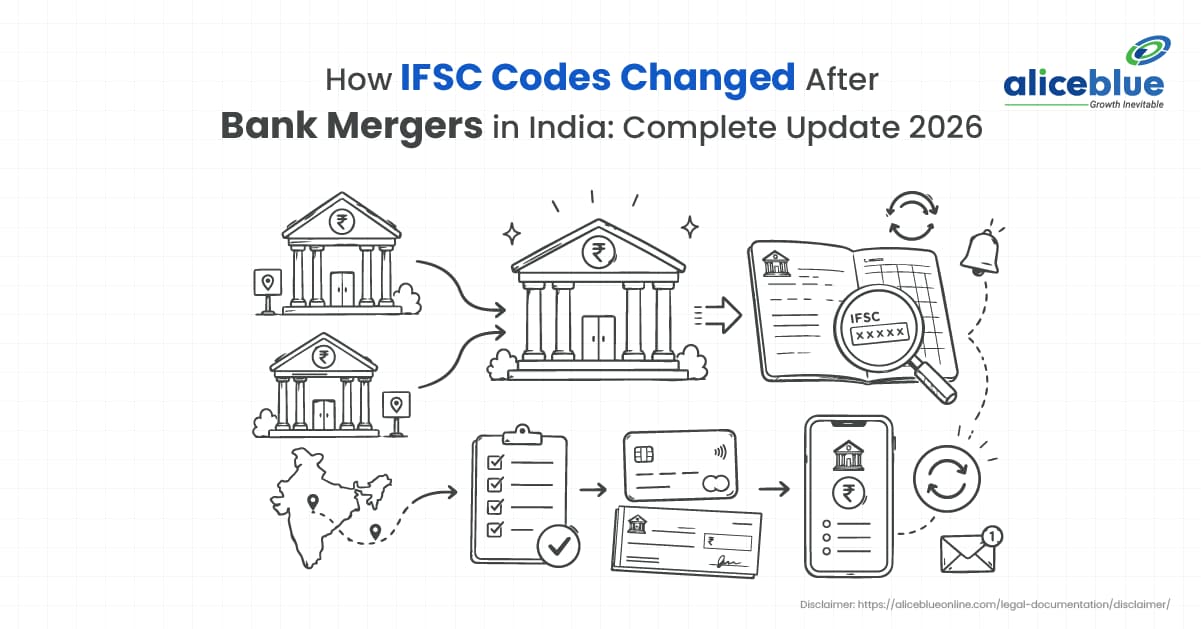
India’s banking sector has gone through several major mergers over the past few years, reducing the number of public sector banks from 27 to 12 parent banks. While these mergers were introduced to improve banking efficiency and financial stability, customers also need to update some banking details.
The most critical change involves the shutdown of legacy IFSC details. This updated 2026 guide explains how bank mergers changed IFSC codes in India and how you can update your banking details to avoid payment issues, protect your online money transfers, and align with current Reserve Bank of India (RBI) frameworks.
Quick Definition
An IFSC change after a bank merger refers to the update of a branch’s 11-digit IFSC code to match the infrastructure of the parent bank. Once a database integration is finalized by the RBI, all legacy codes from the absorbed banks become permanently invalid.
What Happens to IFSC Codes After a Bank Merger?
The Indian Financial System Code (IFSC) is a unique 11-character alphanumeric string assigned by the Reserve Bank of India to identify individual bank branches. This code is mandatory for participating in electronic payment systems like NEFT, RTGS, and IMPS.
The standard anatomy of an IFSC is divided into:
- First 4 characters: Represent the bank identity (e.g., SBIN for State Bank of India).
- 5th character: A control character set permanently to 0.
- Last 6 characters: Represent the individual branch.
When smaller financial institutions are merged into a larger bank, their old Core Banking Solutions (CBS) platforms must be entirely unified. Because the separate banking identity of the original bank ceases to exist, the prefix must shift to reflect the acquiring bank’s initials. This is why IFSC codes change after bank mergers. Without a unified banking system, online transfers cannot be processed correctly across payment networks.
How IFSC Codes Change After Bank Mergers
The IFSC update process follows a structured system to ensure smooth banking operations:
- Official Merger Announcement: The central government issues an official gazette notification confirming the bank merger.
- CBS Data Migration: The bank technology teams map the old customer accounts into the main banking system of the parent bank.
- RBI Code Allocation: The Reserve Bank of India deactivates the old IFSC codes and issues fresh branch codes matching the parent bank’s prefix.
- Payment Network Updates: Payment networks (NPCI, NEFT hubs) update their routing tables to automatically reject the old IFSC codes.
- Customer Action: The end user must find a new IFSC code after merger completion and manually input it for all inward and outward remittances.
Example of an IFSC Code Change After a Bank Merger
Let us look at a realistic scenario to observe this system in action.
Rohan had an active savings account at a Syndicate Bank branch in Bengaluru, using the legacy code SYNB0000412. Following the public sector consolidation, Syndicate Bank was fully absorbed by Canara Bank.
When Rohan’s employer tried to transfer his monthly salary using the old SYNB code, the transaction bounced instantly because the old IFSC code was no longer active. To fix this, Rohan logged onto the Canara Bank merger portal, mapped his branch location, and fetched his newly assigned code: CNRB0000412. Once he updated this data with his company’s payroll department, his salary was credited successfully again.
Key Changes in New IFSC Codes After Mergers
- Standardized Prefixes: Every single branch under a specific merged network uses the same four-letter IFSC prefix (e.g., all Allahabad Bank branches shifted to an IDIB prefix).
- New Branch Codes: While some branches keep their old numeric codes at the end, many receive entirely new identifiers to avoid duplicate branch codes.
- Updated Banking Documents: The updated codes are directly tied to newly issued passbooks, cheque leaves, and corporate digital banking portals.
Benefits of Updated IFSC Codes and Merged Banking Networks
Updating your codes and syncing with the consolidated network offers several major advantages:
- Better Security: Consolidated parent networks utilize stronger security systems that lower digital transaction failures.
- Larger Branch Network: Users gain immediate, easier access to thousands of extended ATM networks and physical branches nationwide without paying out-of-network fees.
- Improved Mobile Banking Features: Legacy customers can move away from slow, outdated apps and enjoy feature-rich mobile applications that support instant loan approvals and unified wealth management tools.
Problems You May Face If You Use an Old IFSC Code
Using an old IFSC code can create several banking problems:
- Immediate Transaction Failures: Any online transfer attempted via NEFT or IMPS using old IFSC codes will be rejected automatically by payment gateways.
- Auto-Debit Penalties: If your automated monthly payments are linked to outdated bank details, the transaction will fail, exposing you to default penalties from your vendors.
- Credit Score Downgrades: Failed EMI loops caused by invalid IFSC codes will be logged as missed payments on your CIBIL report, lowering your overall credit score.
What You Should Do After Your Bank’s IFSC Code Changes
If you are managing an account affected by previous consolidations, follow these simple steps to maintain proper banking habits:
- Audit Your Stationery: Pull out your checkbooks today. If the header features the logo of an obsolete bank, visit your branch or use net banking to order a new booklet immediately.
- Validate Before You Send: Always double-check a recipient’s details using the official RBI IFSC database before executing a high-value transaction.
- Re-link Your Demat Accounts: If you actively trade stocks or mutual funds, ensure your payout bank profile is updated with the correct IFSC code to prevent dividend credits from bouncing.
List of Old Banks and Their New IFSC Prefixes
The table below shows the major bank mergers and their updated IFSC prefixes.
Original Amalgamated Bank | Acquiring Parent Anchor Bank | Current 2026 Routing Code Prefix |
Oriental Bank of Commerce / United Bank of India | Punjab National Bank (PNB) | PUNB |
Syndicate Bank | Canara Bank | CNRB |
Allahabad Bank | Indian Bank | IDIB |
Andhra Bank / Corporation Bank | Union Bank of India | UBIN |
Dena Bank / Vijaya Bank | Bank of Baroda (BoB) | BARB |
State Bank Associates (SBBJ, SBH, SBM, SBP, SBT) | State Bank of India (SBI) | SBIN |
HDFC Ltd. (Private Housing Finance Entity) | HDFC Bank | HDFC |
Lakshmi Vilas Bank | DBS Bank India | DBSS |
How to Check Your New IFSC Code Online
If your old IFSC code is no longer working after a bank merger, you can use these official methods to find the updated code:
- The RBI Official Directory: The Reserve Bank of India maintains a master database of all valid IFSC codes. Visit the official RBI website, click on the ‘IFSC Codes’ tab at the bottom of the homepage, and use the dropdown menu to select your new parent bank and specific branch.
- Anchor Bank Merger Portals: Every major acquiring bank, such as Punjab National Bank, Canara Bank, or Bank of Baroda, has set up a dedicated “Merger Mapping Tool” on its official website. You simply input your legacy bank name and branch state/city to instantly generate your updated IFSC and MICR codes.
- Net Banking Dashboard: Log in to your active internet banking account or mobile app. Once the banking system updates are completed, your updated profile page, digital passbook, and electronic statements will automatically display the current active IFSC code.
What Happens If Money Is Sent to an Old IFSC Code?
The consequences of using an outdated IFSC code depend entirely on how far along the bank is in its merger process.
- During the Grace Period: Immediately following a merger, banks usually provide a temporary transition window where legacy codes are internally auto-redirected to the new parent bank’s servers.
- Post-Deactivation (The 2026 Reality): Because the grace periods for major public sector consolidations have concluded, old IFSC codes are now fully deactivated across payment systems.
- The Result: If someone attempts to send you money using an expired code, the transaction will fail instantly at the payment gateway level. The money will not leave the sender’s account. If the amount is deducted due to a temporary network glitch, the automated clearing system will initiate a reversal, and the funds will be credited back to the sender’s account within 24 to 48 working hours.
How to Update Your IFSC Code for Salary, EPFO, and Income Tax
To ensure your essential government payouts, pensions, and monthly wages arrive without interruption, you must manually update your bank details across these three critical platforms:
1. Corporate Salary Credits
Your company’s payroll department processes bulk salaries via corporate banking panels. Submit a formal email declaration or an updated cancelled cheque featuring your new parent bank identity to your Human Resources or Finance department. Do this at least 15 days before the monthly payout cycle to avoid payment delays.
2. EPFO (Employee Provident Fund) Portal
To update your PF settlement account details, log in to the EPFO Member Unified Portal and follow these steps:
- Navigate to the top menu and select ‘Manage’ > ‘KYC’.
- Check the box next to ‘Bank’ and enter your account number alongside your new parent bank IFSC.
- Click ‘Save’. The system will authenticate the details using an OTP sent to your Aadhaar-linked mobile number.
- Once saved, your employer must digitally approve the change using their electronic signature (DSC) before the EPFO database updates permanently.
3. Income Tax E-Filing Portal
The Income Tax Department will only issue tax refunds to accounts that are fully pre-validated on its server.
- Log in to the Income Tax e-filing portal using your PAN credentials.
- Go to ‘Profile’ > ‘My Bank Account’.
- Click on ‘Add Bank Account’, fill in your account details with the new active IFSC, and select ‘Validate’.
- Ensure your name on the PAN card matches your bank records exactly; otherwise, the validation and your subsequent refund credit will fail.
How to Update IFSC Codes in UPI Apps
Many users face persistent transaction failures on platforms like Google Pay, PhonePe, and Paytm because their virtual payment links are still pointing to legacy servers. Because bank mergers changed the banking network connections linked to your account, you must force the app to refresh your bank connection.
Follow these universal steps to update your details:
- Open the App Settings: Navigate to your profile icon in the top corner of your preferred UPI app.
- Access Linked Bank Accounts: Tap on the ‘Payment Methods’ or ‘Bank Accounts’ section to view your listed cards and accounts.
- Remove the Legacy Account: Select the bank account belonging to the merged entity and click ‘Delete Account’ or ‘Unlink Bank Account’.
- Re-Add the Account Fresh: Tap on ‘Add New Bank Account’ and select the name of your new parent bank (e.g., select Canara Bank instead of Syndicate Bank).
- Fetch Details Automatically: The app will send a verification SMS from your registered mobile number, query the central NPCI servers, and pull your newly mapped account with the corrected IFSC automatically. Your existing UPI PIN will remain completely valid.
Common Mistakes After a Bank Merger
- Relying on Saved Net Banking Templates: Many internet banking users use saved beneficiary profiles. If your beneficiary’s branch has merged, those saved entries will fail. Delete the old profile and create a fresh one.
- Ignoring ECS and NACH Mandates: Assuming your auto-debits for mutual fund SIPs or insurance policies will automatically redirect is a mistake. You must manually submit a fresh National Automated Clearing House (NACH) mandate containing the updated code.
- Assuming Account Numbers Never Change: While some anchor banks kept customer account numbers identical, others adjusted the digits to match their standard lengths. Check your passbook to see if your account number was modified alongside the IFSC.
Who Should Check Their IFSC Code After a Bank Merger?
This update is important for:
- Active Retail Banking Customers: Anyone holding traditional savings, current, or salary accounts in any public sector bank that underwent consolidation.
- Traders and Market Investors: Individuals with linked trading or Demat accounts who need to ensure their linked bank account routing details are perfectly accurate to avoid payment delays.
- Corporate Payroll Managers: Professionals managing large-scale corporate payouts who must clean their vendor and employee databases to remove old IFSC records.
Conclusion
The evolution of India’s banking framework shows that monitoring your specific branch data is an ongoing responsibility. While bank mergers provide better banking services, larger branch networks, and improved mobile apps, customers still need to keep their bank details updated.
Take five minutes this week to verify your internet banking dashboard, cross-check your active branch identifiers against our master tracker, and update your auto-debit profiles. Keeping your data current ensures that your electronic transactions remain smooth and error-free.
Frequently Asked Questions
Outdated IFSCs will cause your refunds to fail. To fix this, log into the Income Tax e-filing portal, navigate to ‘My Bank Account’, enter your new parent bank IFSC, and re-validate your account immediately.
In some cases, SWIFT codes may also change after a bank merger. Contact your branch or check the parent bank’s website to confirm the correct SWIFT code for international transfers.
No, your active FDs and RDs will continue at their original locked-in interest rates until they mature. The new parent bank’s interest rates will only apply to fresh deposits or automatic renewals.
No, your UPI PIN remains the same. However, to avoid payment failures, open your UPI apps (like PhonePe or Google Pay), delete the linked bank account, and add it again to refresh the backend routing link.
All documents and collateral automatically transfer to the legal custody of the new parent bank. Your original loan terms, interest agreements, and EMIs remain completely unchanged.

Blog by Aliceblue News Desk