What Is UPI Lite? How Is It Different from Regular UPI Transactions?
Blog by Aliceblue News Desk
21 April 2026
8 minutes
If you trade stocks or invest, you likely use UPI to add funds. But during a busy session, entering a PIN every time you top up can slow you down. That’s where UPI Lite helps. It is a lighter, faster version of regular UPI, meant for small, frequent payments. It reduces load on the main UPI system and makes everyday micro‑transactions smoother.
In this blog, you’ll learn what UPI Lite is, how it works for traders and investors, how it differs from regular UPI, and when it makes sense to use it and when to be careful.
What Is UPI Lite?
UPI Lite is a UPI‑based feature that lets you store a small balance on your phone for instant, low‑value payments. You load a fixed amount into a “Lite wallet” in your UPI app and then make multiple small payments from that balance without entering a PIN again.
Think of it like carrying a small amount of cash for quick chai or snack payments, only it’s digital and linked to your bank account. NPCI designed UPI Lite for small, repeated payments and faster transactions without full authentication every time. For traders and investors, this means quicker, smoother deposits into a demat or trading account during market hours.
How Does UPI Lite Work?
You can simply use UPI Lite inside your UPI app (such as PhonePe, Google Pay, BHIM, or your bank’s app).
Step 1: Enable UPI Lite in your app
- Open your UPI app.
- Find the UPI Lite section (usually under payments or settings).
- Link your bank account if asked.
- Some banks and apps do not support UPI Lite, so check if the option is available.
Step 2: Load money into the Lite wallet
- In the UPI Lite section, tap “Load” or “Add balance”.
- Enter how much you want to keep in the Lite wallet (up to about ₹1,000 per time, with daily use usually around ₹4,000–₹10,000, depending on your bank).
- Enter your UPI PIN once.
- After that, the money stays in your UPI Lite balance on the phone.
Step 3: Use the balance for quick payments
- When you see a UPI Lite-enabled QR code or VPA (like a merchant or broker’s UPI Lite tag), select UPI Lite as the payment method.
- Enter the amount.
- The money is deducted from your Lite balance instantly, without another PIN.
- It can work in low-signal areas, as the payment is recorded locally and settled later.
Step 4: Auto-replenish (optional but useful)
- Some apps let you set a rule like “If Lite balance falls below ₹100, add ₹500 from my bank.”
- When the balance drops, the app adds more from your bank in the background, so you stay ready for active trading.
Example: How UPI Lite Helps a Trader
A trader wants to add funds to a trading account during an active session. The market opens volatilely, and the trader spots a setup in a mid-cap stock. The regular UPI limit is nearly exhausted from earlier payments, so UPI Lite is used for small, repeated deposits instead of entering a PIN every time.
- ₹3,000 is already kept in the UPI Lite wallet from the trader’s bank.
- At 10:15 AM, the broker’s UPI Lite QR is scanned, and ₹1,000 is sent.
- At 11:30 AM, another ₹1,000 is added without entering a PIN.
- At 1:30 PM, the last ₹1,000 is topped up as the market moves in favour of the trade.
- Later in the day, auto‑replenish adds ₹2,000 from the bank when the Lite balance gets low
By the end of the session, the trader has entered multiple positions without hitting the regular UPI limit or facing delays. UPI Lite makes small, repeated deposits faster and more efficient.
Key Features of UPI Lite
UPI Lite is more than just a smaller version of UPI. It has a few specific features that matter for traders and investors:
- Low‑value, high‑frequency payments: Individual payments are usually up to ₹1,000, with total daily usage often in the ₹4,000-₹10,000 range depending on your bank. It works best for small, repeated deposits, not large one‑time amounts.
- No PIN per transaction: After you load money into the Lite wallet, you don’t need to enter a PIN for each payment, which speeds things up during active trading.
- Offline‑friendly operation: Payments can be recorded on your phone even in low‑signal areas and are settled with the bank once the internet comes back.
- Auto‑replenish: You can set a rule to automatically refill your Lite balance when it drops below a set amount.
- Works on popular UPI apps: It is supported on apps like PhonePe, Google Pay, BHIM, and several bank‑branded UPI apps and accepted by many merchants that support UPI Lite.
- Linked to your bank: The Lite balance is still tied to your bank account, so UPI PIN, app locks, and other bank-level security still apply.
Risks and Limitations
Even though UPI Lite is convenient, it has some limits and risks to consider:
- Not for large amounts: UPI Lite is meant for small, frequent payments, not big deposits (₹10,000+) or withdrawals. Use regular UPI, IMPS, or NEFT for those.
- Limited by bank rules: Not all banks support UPI Lite, and limits can vary. Check your app or bank’s policy before depending on it heavily.
- No PIN per transaction: Without a PIN, it is easier to make accidental or wrong payments. Scanning the wrong QR or sending to the wrong UPI ID can deduct money instantly from your Lite balance.
- Refund and dispute process: If a payment goes wrong, you must raise a dispute with your bank or NPCI’s grievance channel. The process is similar to regular UPI and can take time.
- Device security: In low‑signal or offline mode, a lost or unlocked phone can expose your Lite balance. Use strong screen locks and keep your UPI apps secured.
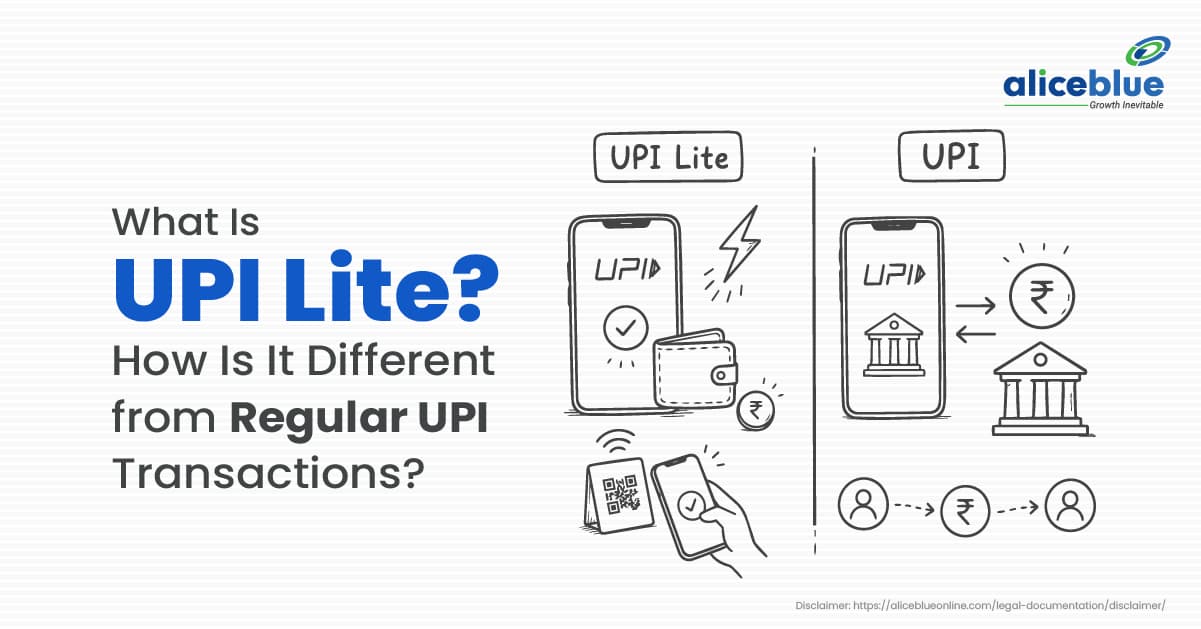
How Is UPI Lite Different from Regular UPI Transactions?
Traders often ask: “Should I use UPI Lite or regular UPI for my Alice Blue deposits?” The short answer is: use UPI Lite for small, frequent top-ups and regular UPI for larger or one-off transfers.
Here’s a clear comparison:
Feature | UPI Lite | Regular UPI |
Typical transaction value | Up to about ₹1,000 per payment [web] | No fixed per-transaction cap, up to ₹1 lakh daily [web] |
Daily load/use limit | Around ₹4,000-₹10,000 daily, depending on the bank [web] | Around ₹1 lakh per day per bank [web] |
PIN requirement | Only when loading the Lite wallet [web] | For every payment [web] |
Speed of small payments | Very fast; no PIN per transaction [web] | Fast, but each payment needs a bank-level check and PIN |
Offline / low-signal use | Works in low-signal mode; stored on device [web] | Needs stable internet for each transaction [web] |
Best suited for | Small, repeated payments (trading top-ups, small buys) [web] | Larger or occasional transfers (withdrawals, big deposits) [web] |
Wallet nature | On-device balance that’s still backed by your bank [web] | Direct from bank to beneficiary [web] |
In simple terms:
- If you’re adding ₹500-₹1,000 at a time multiple times in a day, UPI Lite fits better.
- If you need to move ₹10,000+ in a single go, regular UPI is the safer option.
Common Mistakes with UPI Lite
Even experienced traders make small mistakes with UPI Lite. Avoid these:
- Treating it like unlimited money: UPI Lite still works within your bank’s overall UPI limits.
- Ignoring your bank’s limits: Daily caps vary (₹4,000-₹10,000). Exceeding them can cause failed transactions.
- Sending to the wrong ID: Without a PIN, a wrong QR or UPI ID can deduct money instantly. Always check the name, amount, and ID before paying.
- Leaving your phone unlocked: An unlocked phone can expose your Lite balance. Use strong screen locks and secure your UPI apps.
- Over-relying on auto-replenish: A low threshold can trigger unplanned top-ups. Set a conservative level and review it occasionally.
Who Should Use UPI Lite?
UPI Lite is not for everyone, but it fits certain profiles very well:
Right for:
- Intraday and active traders who add small amounts multiple times in a day.
- Beginner investors who use small, regular SIPs or micro-investments.
- Daily spending users who want quicker payments for small items like food, transport, or subscriptions.
- People in low-signal areas who still want to make small payments without a strong internet connection.
Less suitable for:
- Large-value traders or investors who move ₹10,000+ in a single transaction. They should stick to regular UPI or bank transfers.
- Those who are uncomfortable with “no-PIN-per-transaction” flow, as it reduces friction but also reduces a layer of security for each small payment.
- Users whose banks or apps do not support UPI Lite will not see the feature since it simply won’t appear.
Conclusion
UPI Lite is a simple tool that helps you make small, repeated payments faster and more smoothly. It does not replace regular UPI but handles tiny, frequent transactions, so your main UPI limit stays free for bigger transfers. For traders and investors, it can speed up daily fund top‑ups, SIPs, and small‑ticket investing when used carefully and within your bank’s limits.
If you regularly add small amounts to your trading or investment account, try UPI Lite with a small balance first. Make a few test payments, check the limits and auto‑replenish, and confirm your bank supports it. Once you are comfortable, you can use it to move quickly in fast‑moving markets.
Frequently Asked Questions
UPI Lite is for small, repeated payments like small top‑ups, everyday buys, or low‑value transfers where you want to move money quickly.
No. Regular UPI is for larger amounts, up to about ₹1 lakh a day, with a PIN every time. UPI Lite is for smaller amounts, up to ₹1,000 per transaction, where you load money once and then pay without a PIN each time.
Yes, if your broker or bank app supports it. You can scan the broker’s UPI Lite QR or use their UPI Lite ID to add small amounts. Check your app or support page for steps.
Most users can send up to ₹1,000 per transaction, with daily usage between ₹4,000 and ₹10,000 depending on the bank. Your app or bank site will show your exact limit.
UPI Lite is linked to your bank and uses the same UPI system. But skipping the PIN means more risk of wrong or accidental payments. Always check the ID or QR and the amount before sending.
UPI Lite is available on apps like PhonePe, Google Pay, BHIM, and many bank‑branded UPI apps. Not all banks support it, so check your app or bank’s website before using it regularly.

Blog by Aliceblue News Desk